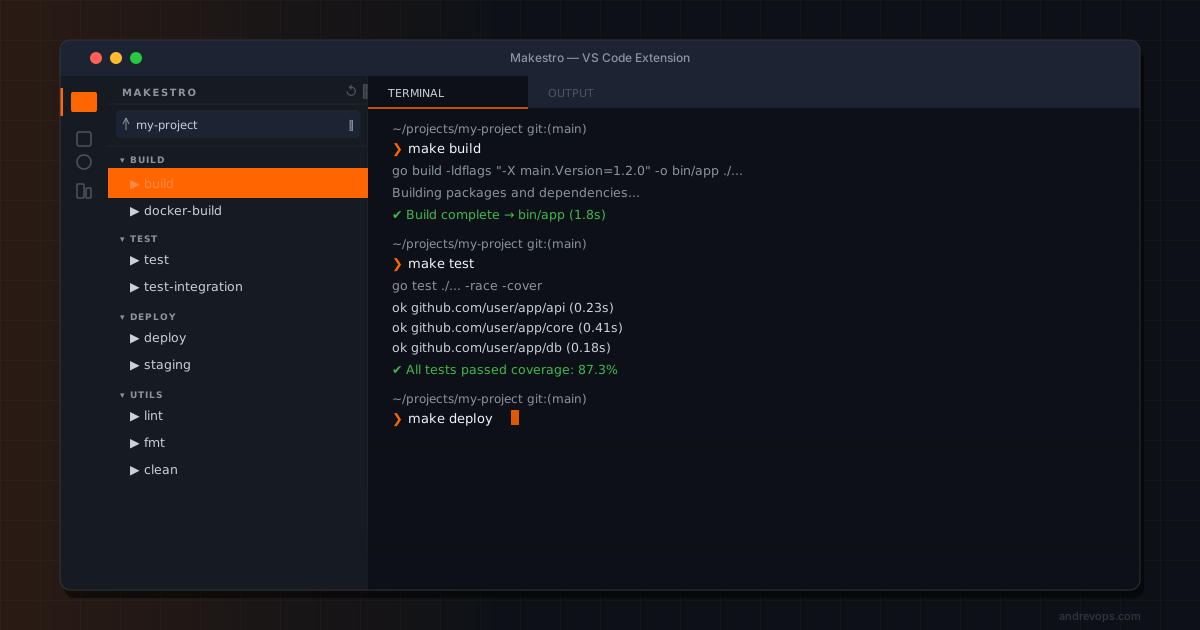
The name comes from Make + Maestro — like a conductor orchestrating a symphony, Makestro orchestrates your build targets. The idea sounds simple but it solves a real friction point: Makefiles grow and nobody knows what’s in them.
I use Makefiles as the main interface for almost every project I work on. make build, make deploy, make test — they are all there. The problem is that after a certain number of targets, make help is not enough and new engineers have no idea what’s available.
Makestro is a VS Code extension that gives Makefile targets a proper sidebar. Browse, search, run, and pin targets without typing anything in a terminal.
How it works
Makestro reads structured comments in your Makefile to build the sidebar:
### Build
## Compile the project
build:
    go build ./...

## Run unit tests
test: build
    go test ./...

### Docker
## Build the container image
docker-build:
    docker build -t myapp .
Lines starting with ### become section headers. Lines starting with ## become target descriptions shown next to the target name in the sidebar. The structure of the Makefile becomes the structure of the UI.
[!note] Both comment prefixes are configurable in settings. If your project uses a different convention you can adjust them without changing the Makefile.
Features
- Section grouping — targets organized by
###comments - Fuzzy search —
Alt+M, Ropens a quick picker to find and run any target - Re-run last —
Alt+M, Lrepeats the last executed target, useful during development loops - Pinned targets — pin favorites to slots 1–10 and run them with
Alt+M, 1throughAlt+M, 0 - Run with arguments — prompt for variable overrides like
VERBOSE=1 make build - Go to target — jump directly to the target definition in the Makefile
- VS Code Task Provider — targets appear in
Tasks: Run Taskalongside your other tasks
Diffchestrator integration
When Diffchestrator is installed, Makestro auto-discovers the Makefile for whichever repo you have selected and refreshes the sidebar when you switch repos. No configuration needed — just select a repo and the targets appear.